Hi, Thanks for your support!
As promised, here is the guide for using Lucky patcher. It is very easy to crack apps using ,lucky patcher.
I have uploaded screenshots explaining the process so it’ll be easy for you guys to understand the whole process.
Without any further writing, let’s get started!
Here I chose the application ‘Werewolves’ as you can see in the image below. The application asks for 400Rs. to unlock full game.

Step 1:Open Luckypatcher and click on the app you want to get In App purchases free.
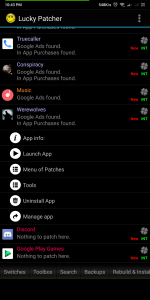
Step 2: Click on “Menu of patches” and then “Create Modified APK File”.
Step 3: Click on APK rebuilt for InApp and LVL emulation
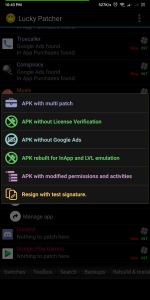
Step 4: Just click “Rebuild the App” button without clicking elsewhere.
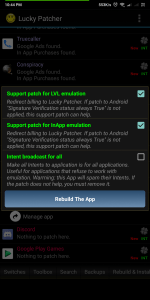
Note: If any patterns succeeded, then there is a chance that the app will be cracked. If all the patterns were failed then I am sorry. 😦
Step 5: Click “Go to file”

Step 6: Click on “Reinstall”.
Step 7: Just click on “Yes”.
and then it will uninstall the app and install the app again.
Step 8: After it installs the application again, then open the app and try to buy those In-App purchases.
When it asks something like, following image, just check both and click “YES”.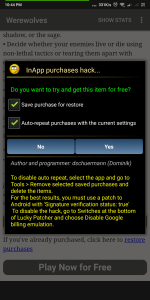
Now, your application has purchased those In-App purchase and you can use them. Enjoy!
Please comment your reviews and if you have any problems, then please comment below.
 Technotrack